AbcTab
The macOS app switcher with first-letter jump & multi-window switching.
A native app and window switcher built for modern macOS. Press a letter while ⌘-Tab is open to jump straight to any app by English or Pinyin initial — with multi-window list expansion, cross-Space switching, and automatic restoration of minimized windows.
Version History → F
 W
 D
 G
 N
 O
 T
 G
 C
 D
Watch AbcTab in 30 Seconds
AbcTab in 30 seconds: press Cmd-Tab, tap a letter, release to switch. Real UI frames with an original synthesized score.
30 seconds · original score · no voice-over · real UI frames · muted by default
First-Letter & Pinyin Jump with MRU Cycling
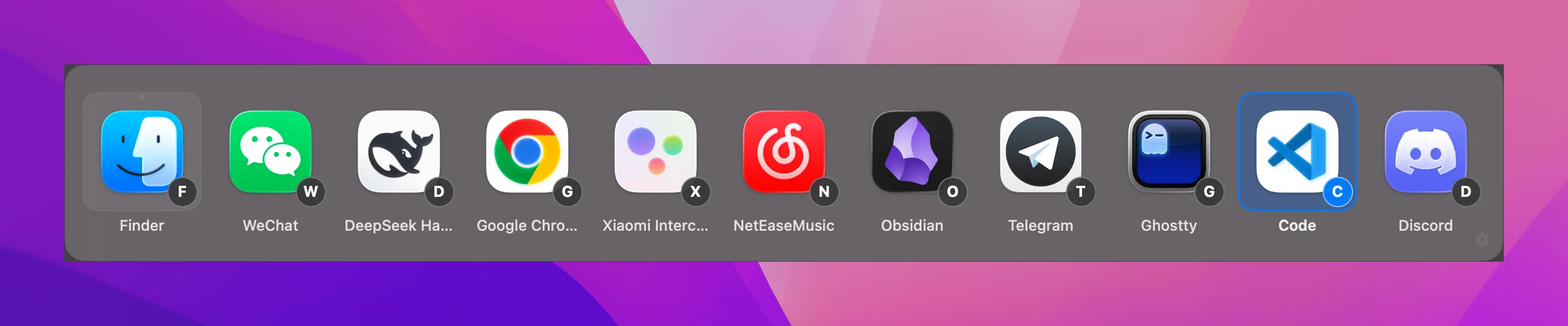
Press A–Z while the switcher is open to jump straight to an app. Chinese app names automatically match by Pinyin initial without switching input sources. Press the same letter repeatedly to cycle through matches in MRU order.
Ping-Pong Mode: One ⌘-Tab Always Returns to Your Pair
Press ` in the switcher to bind the highlighted app — or one of its exact windows — to your current context. A single blind ⌘-Tab then returns to the pair, even after detouring through other apps. A second window of the same application is promoted to its own window card, and ⌘-Tab alternates between the two. Off by default — enable it once in Settings → Advanced.

Multi-Window & Terminal Tab Expansion with Auto-Restore
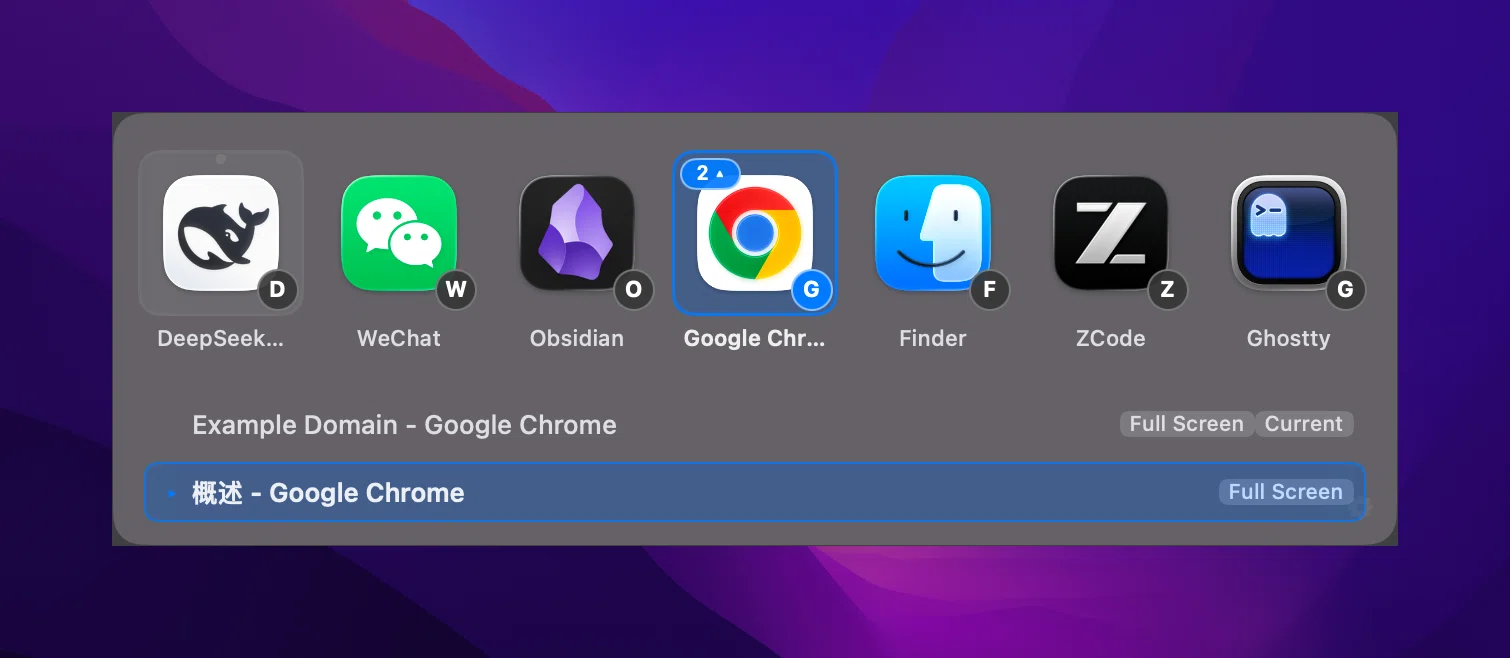
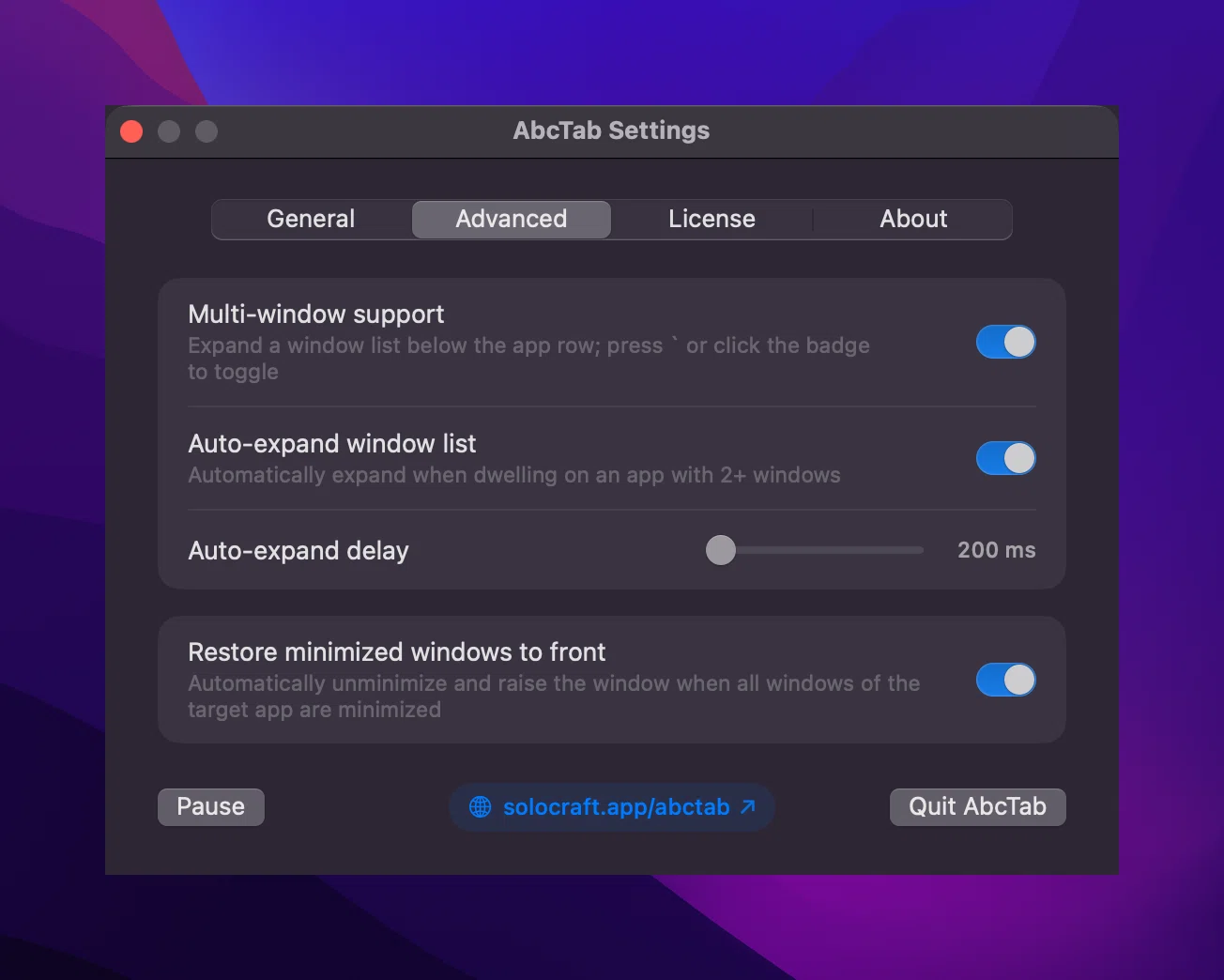
Dwell on an app with 2+ windows or terminal tabs (such as Ghostty) to auto-expand its list (configurable 200–1000 ms delay), or press ↓ / click the count badge anytime to toggle manually (the ` shortcut stays available while Ping-Pong mode is off) — including cross-Space and full-screen windows. Switching to an app whose windows are all minimized automatically restores them to the front.
One-Key Quick Quit for Background Apps
No need to switch into an app just to press ⌘Q. Press Delete (⌫) on any app in the panel to request normal termination — the panel stays open and refreshes, so you can quit several apps in a row.
Flexible Shortcuts, Ignore Mouse Hover & Live Bilingual UI
Replaces ⌘-Tab by default, or switch to ⌥-Tab or ⌃-Tab anytime in General settings — plus an optional "Ignore mouse hover" toggle so pointer movement never steals your selection. Fine-tune multi-window auto-expand, dwell delay, and minimized window restoration in Advanced settings, with live Simplified Chinese and English switching.
Pure Swift 6 Native & Strict Privacy Boundaries
Built with Swift 6 and AppKit with zero private APIs. Instant response even with 20+ running apps. Requires only Accessibility permission — never Screen Recording or Input Monitoring; connects once only for license activation and runs 100% offline with zero telemetry.
Two editions, pick what fits
The free edition is coming to the Mac App Store. Pro is available directly from this site.
System Requirements & Specifications
Frequently Asked Questions
Why doesn't AbcTab require Screen Recording permission?
Many third-party window switchers (like AltTab) require Screen Recording permission to capture live window thumbnails, triggering persistent macOS privacy indicators. AbcTab focuses on crisp app icons, first-letter badges, and instant window/tab titles using standard Accessibility APIs — never capturing your screen.
How is AbcTab different from the built-in macOS ⌘-Tab?
The native ⌘-Tab forces you to tap Tab repeatedly when 20+ apps are open, ignores individual windows, and leaves minimized windows hidden. AbcTab lets you jump straight to any app by English or Pinyin initial, expand multi-window and terminal tab lists across Spaces, auto-restore minimized windows, and lock two contexts together in Ping-Pong mode (`).
How do the 14-day free trial and $9.9 lifetime license work?
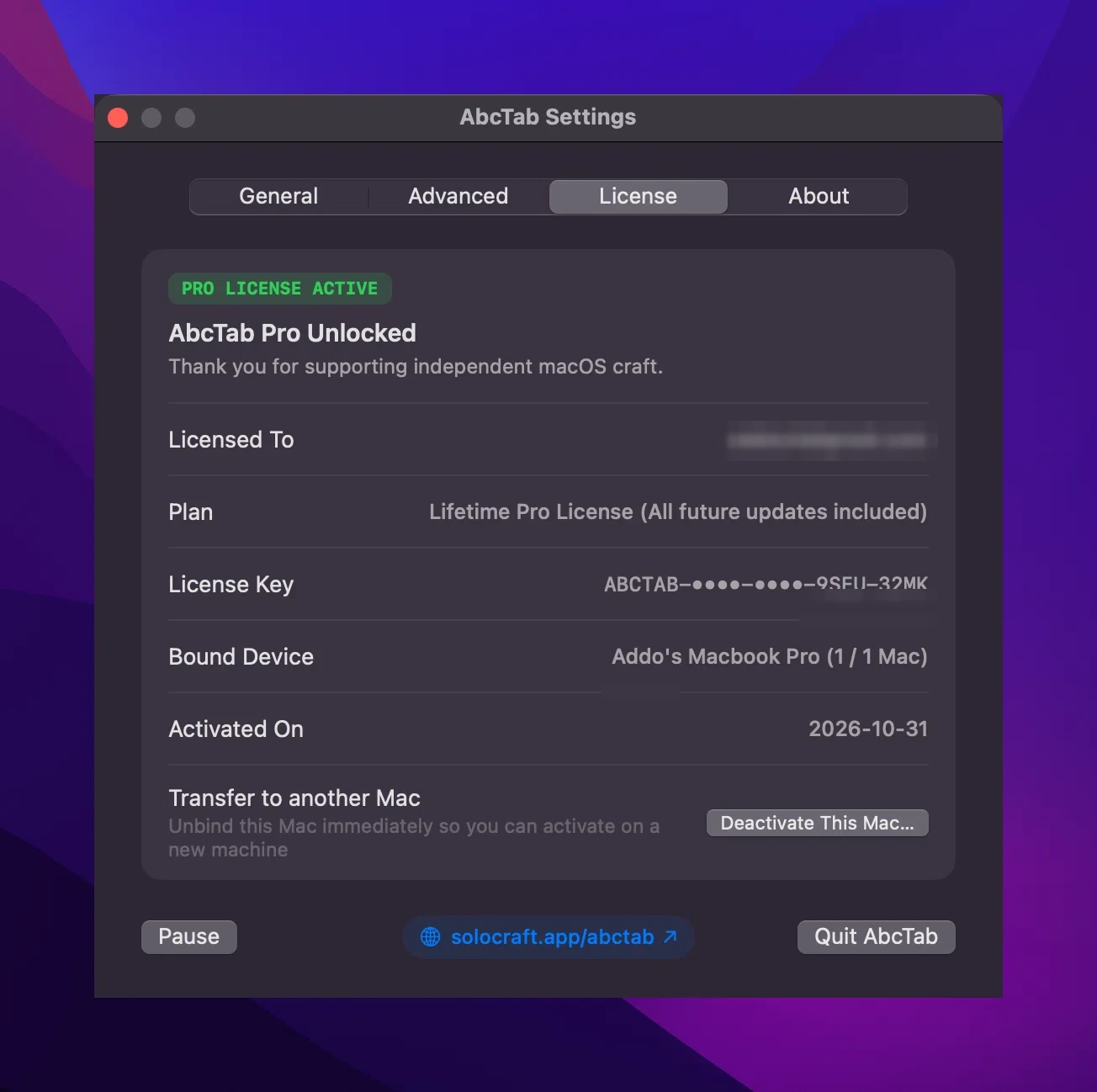
Download the DMG to start a full-featured 14-day Pro trial immediately — no credit card required. A $9.9 one-time payment (no subscription) unlocks AbcTab permanently on 1 Mac, and you can deactivate and transfer your license to a new Mac anytime in Settings → License.
Does AbcTab make background network calls or collect telemetry?
No. Built natively with Swift 6 and AppKit, AbcTab connects once only when starting a trial, activating/deactivating a license, or when you explicitly check for updates. Daily operation is verified offline via Ed25519 cryptography with zero telemetry.