AbcTab
The macOS app switcher with first-letter jump & multi-window switching.
A native app and window switcher built for modern macOS. Press a letter while ⌘-Tab is open to jump straight to any app by English or Pinyin initial — with multi-window list expansion, cross-Space switching, and automatic restoration of minimized windows.
 F
F
 W
W
 D
D
 G
G
 N
N
 O
O
 T
T
 G
G
 C
C
 D
D
First-Letter & Pinyin Jump with MRU Cycling
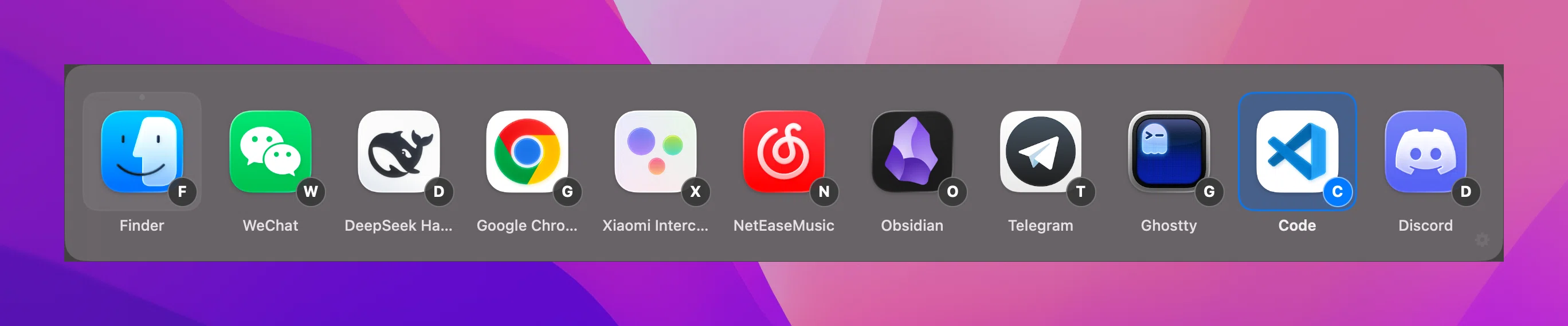
Press A–Z while the switcher is open to jump straight to an app. Chinese app names automatically match by Pinyin initial without switching input sources. Press the same letter repeatedly to cycle through matches in MRU order.
Multi-Window Expansion & Auto-Restore Minimized Windows
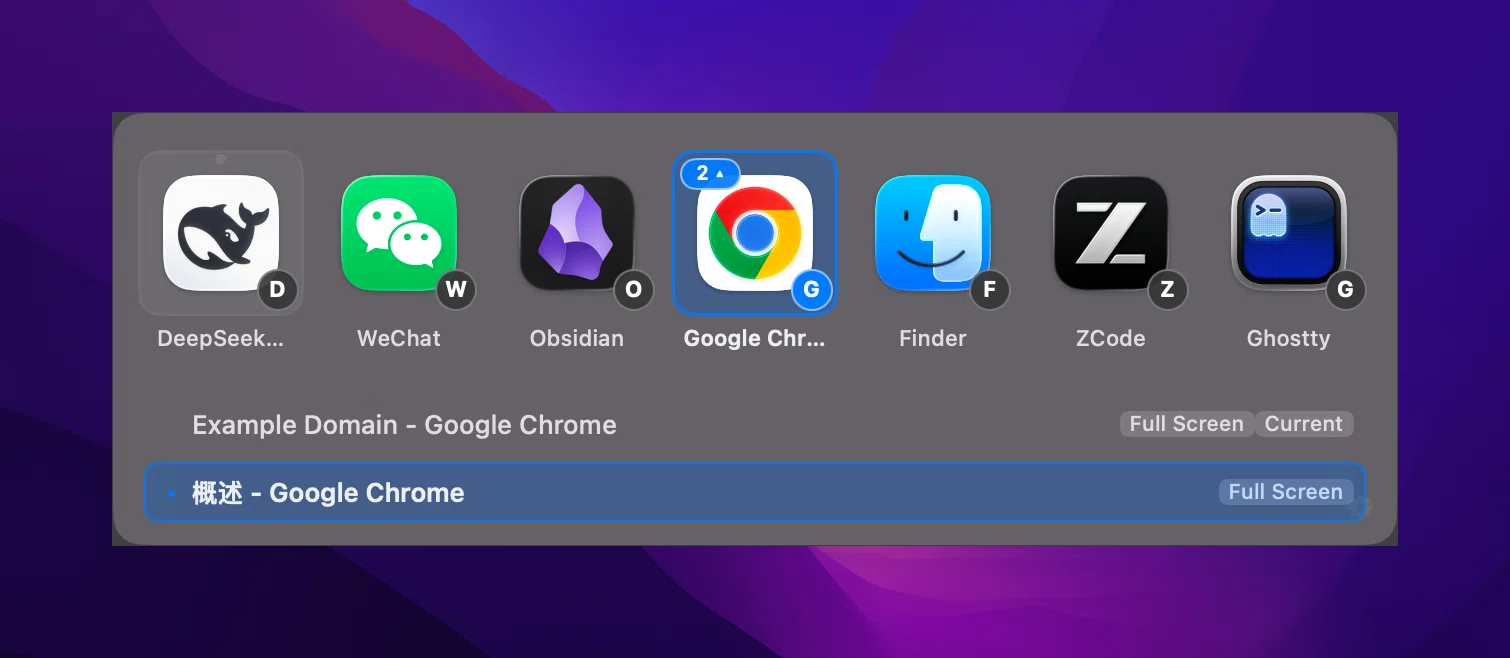
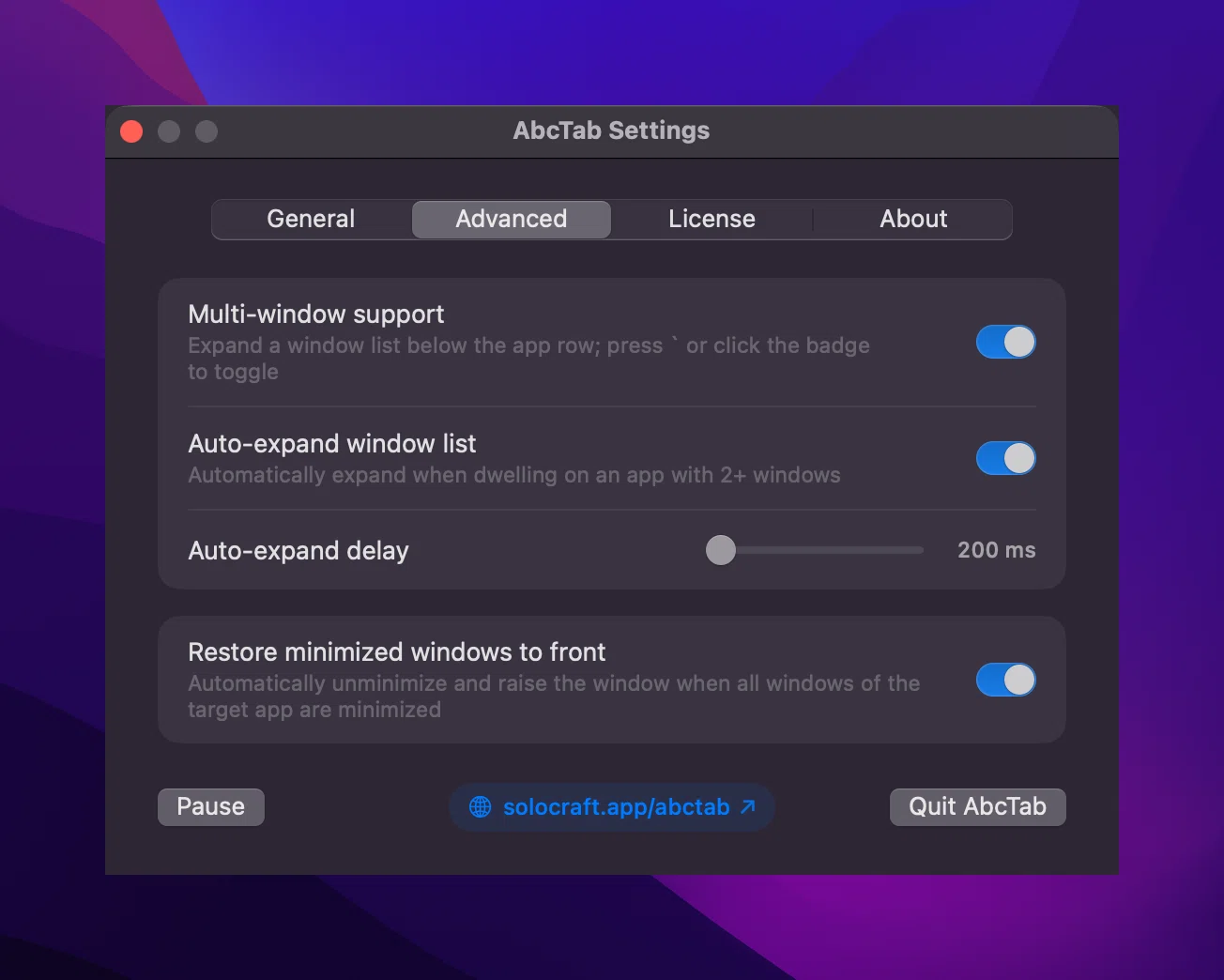
Dwell on an app with 2+ windows to auto-expand its window list (configurable 200–1000 ms delay), or press ` / click the window count badge anytime to toggle manually — including cross-Space and full-screen windows. Switching to an app whose windows are all minimized automatically restores them to the front.
Three Ways to Quick-Quit Background Apps
No need to switch into an app just to press ⌘Q. Press Delete (⌫), long-press the matching letter key, or middle-click any app icon in the panel to request normal termination.

Flexible Shortcuts, Advanced Controls & Live Bilingual UI
Replaces ⌘-Tab by default, or switch to ⌥-Tab or ⌃-Tab anytime in General settings. Fine-tune multi-window auto-expand, dwell delay, and minimized window restoration in Advanced settings, with live Simplified Chinese and English switching across the entire app.
Pure Swift 6 Native & Strict Privacy Boundaries
Built with Swift 6 and AppKit with zero private APIs. Instant response even with 20+ running apps. Requires only Accessibility permission — never Screen Recording or Input Monitoring; connects once only for license activation and runs 100% offline with zero telemetry.