


Fasting Tracker
A calm, offline-first intermittent fasting tracker with Android 16 Live Updates & HyperOS Super Island.
Tired of $70/year fasting subscriptions, pop-up ads, and forced accounts? Built natively with Kotlin & Jetpack Compose, Fasting Tracker keeps every record strictly on your device — zero ads, zero tracking, zero cloud sync.
Organic Minimal Design: Calm Timer & 6 Metabolic Phases
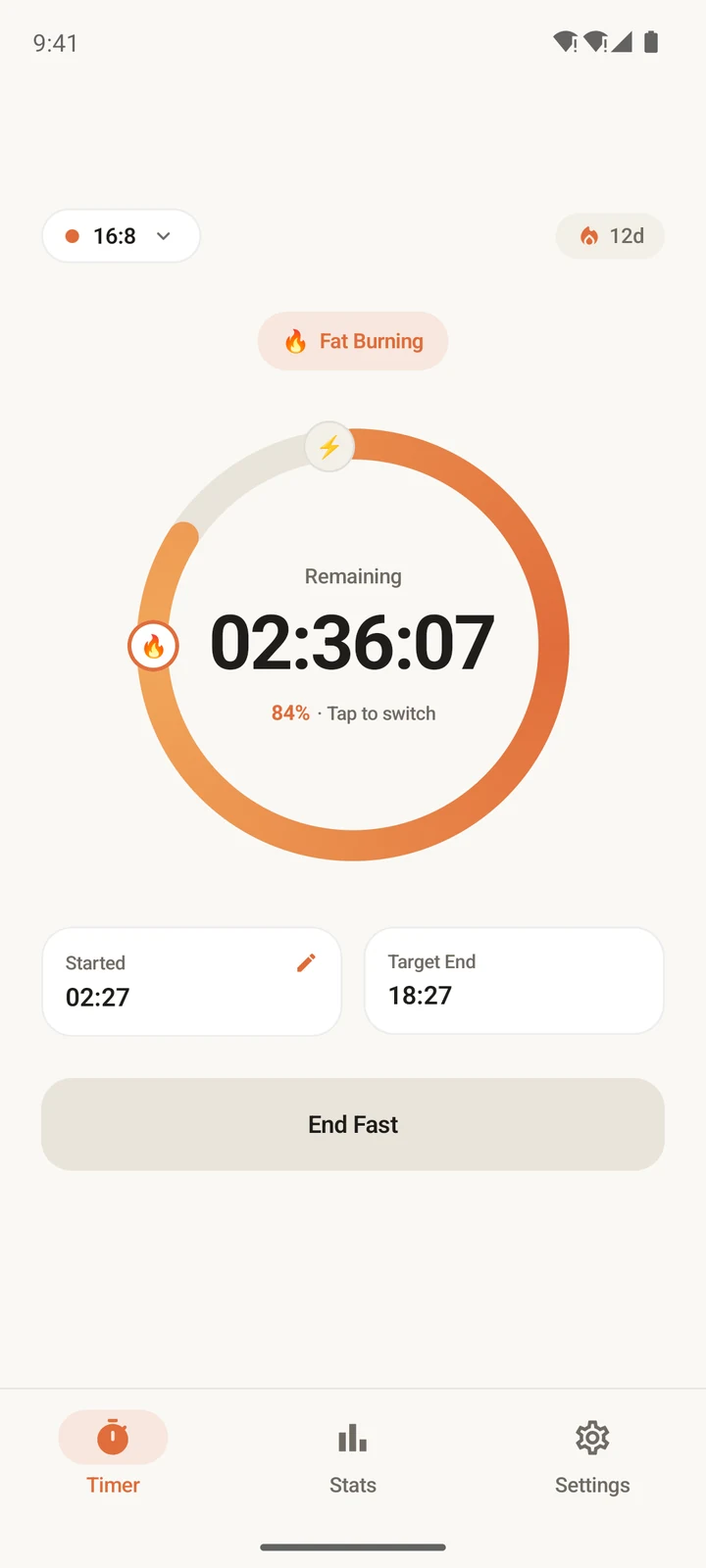
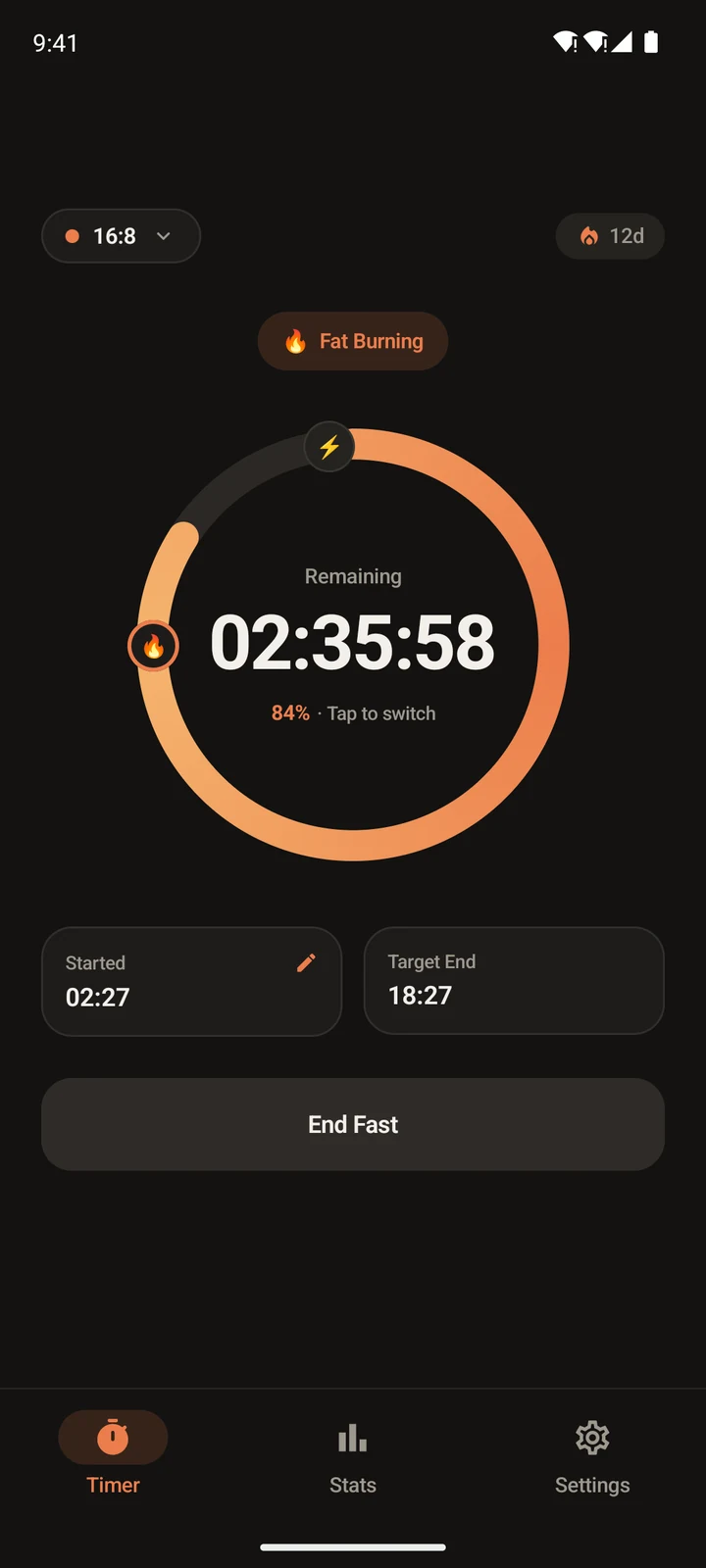
No noisy popups or upsell banners. A serene Material 3 ring with tabular numerals (tnum) lets you tap to toggle remaining vs. elapsed time and inspect clickable metabolic milestones (Fat Burning, Ketosis, Autophagy). Includes 14:10, 16:8, 18:6, 20:4, 24h, 48h, 72h, and custom schedules.
Native Android 16+ Live Updates & HyperOS 4 Super Island
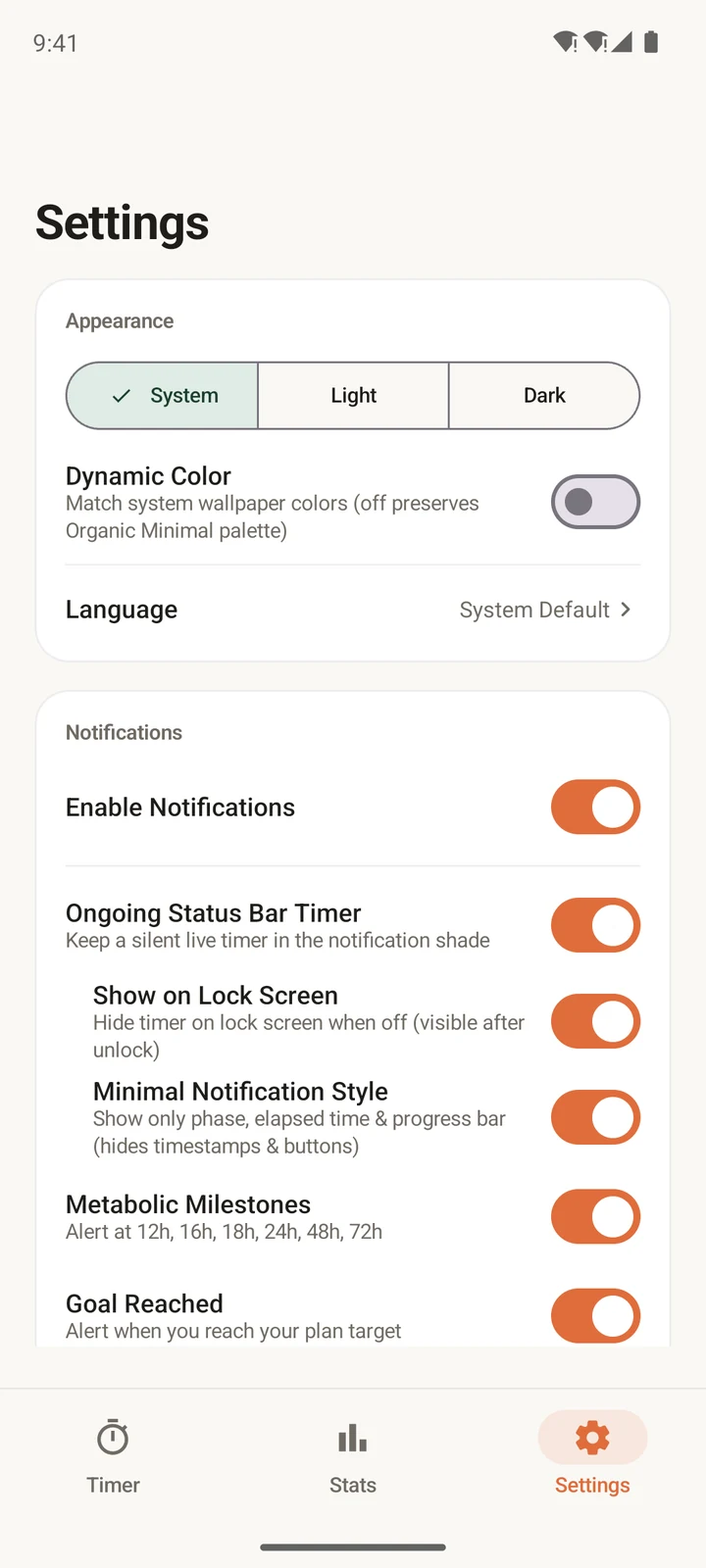
Zero foreground service battery drain. Built on standard Notification.ProgressStyle, it surfaces natively on Android 16+ Live Updates and Xiaomi HyperOS 4 Super Island — showing both active fasting (6 dynamic stage icons) and your eating window countdown, with independent toggles for Live Update, Lock Screen visibility, and Minimal style.
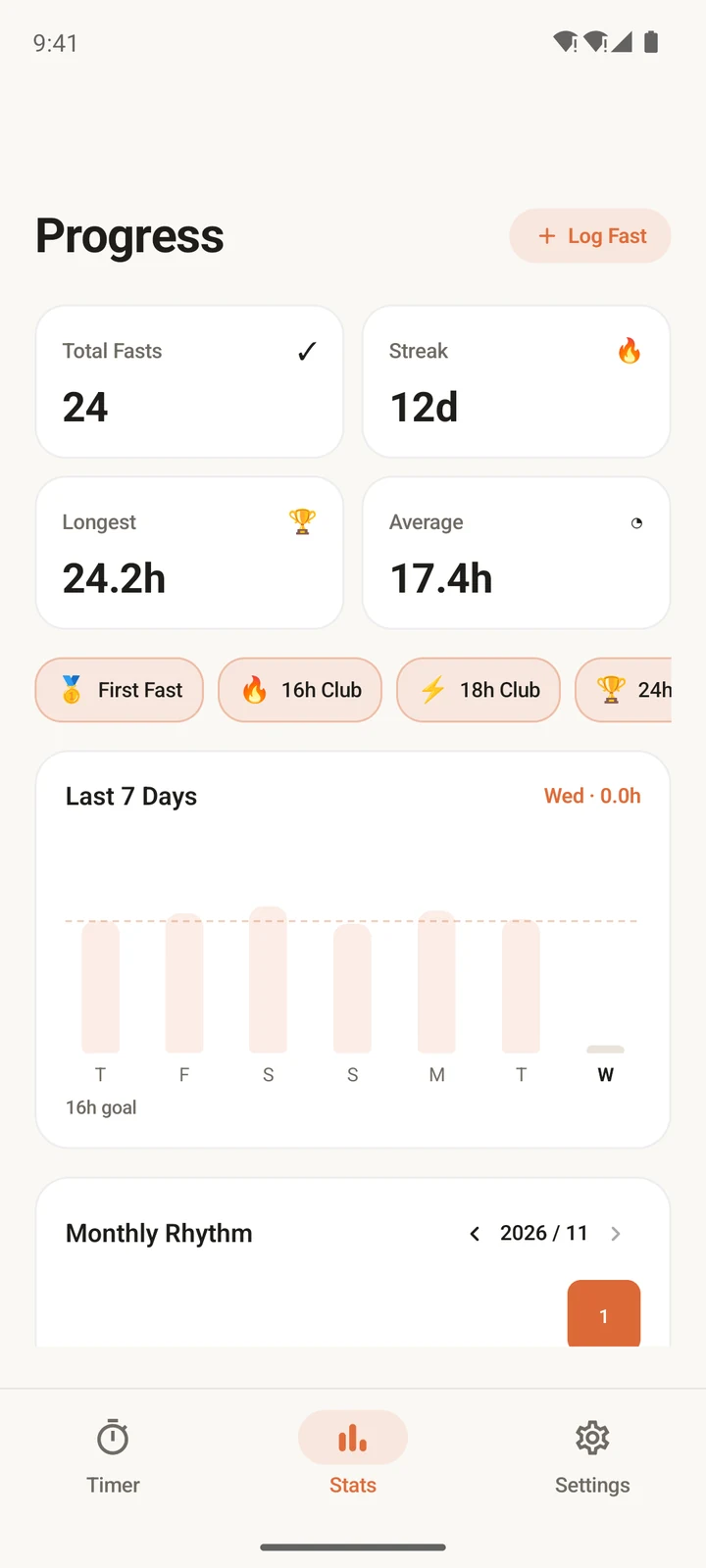
Clear Progress Stats, Weekly Bar Chart & Monthly Heatmap
Track total fasts, active streak, longest fast, and average duration at a glance. Rounded weekly bars with a 16h reference line and a monthly heatmap visualize your rhythm. Accidental taps under 1 hour are discarded automatically, overtime continues naturally, and history editing prevents overlapping sessions.
Zero Internet Permission, Local JSON Backup & Glance Widgets
All data stays locally in Room SQLite with system cloud auto-backup disabled (allowBackup="false"). Export or restore a plain JSON backup anytime via Android SAF. Includes Light/Dark themes, optional Dynamic Color, in-app English/Chinese switching, and adaptive 2×2 / 4×2 Jetpack Glance widgets.
Technical Specifications
Privacy Policy & Health Disclaimer
Zero Data Collection, Zero Cloud Sync
Fasting Tracker requires no account, integrates zero analytics, ad, or crash-reporting SDKs, and never transmits your fasting logs, notes, or mood data to any external server. System cloud auto-backup is disabled (allowBackup="false") — your data lives strictly on your device.
Optional Tips & Health Disclaimer
The FOSS build contains zero payment or network permissions. The Google Play build invokes Google Play Billing only when you explicitly choose to send a voluntary tip; payment details are handled solely by Google. Fasting Tracker is for personal wellness tracking only and does not provide medical advice.
Frequently Asked Questions
How do I enable Android 16 Live Updates / HyperOS Super Island?
Enable Notifications and Live Updates permission in Settings → Notifications. Fasting Tracker uses the standard Android 16 Notification.ProgressStyle API with no vendor whitelist required — both active fasts and eating windows appear automatically.
How do I move my fasting history to a new phone?
Open Settings → Local Backup and tap Export Backup to save a plain JSON file containing all sessions and custom plans. Install Fasting Tracker on your new device and tap Import Backup to restore everything offline.